

 Feedback on Jumping Jacks data input
Hi there!
When performing jumping jacks, I find the current input method unclear. At the moment, it seems the app requires me to enter the time (or rate?) for each set. However, it would feel more intuitive to input the number of jumping jacks completed instead.
By tracking reps, the AI could calculate my work rate (reps per minute) and then adjust the duration of future sets accordingly. For example:
• If I complete 60 jumping jacks in one minute, the AI could increase the next set to 90 seconds.
• If I then manage only 70 in that longer set, the work rate has dropped, so the AI could reduce the time to 70 seconds next time.
• If I later complete 75 in 70 seconds, the AI could increase the time to 80 seconds.
This is just a rough example, but the principle is that reps-based input would allow the AI to adapt training more logically and transparently.

Contrast Set - Strength Focus
I’d like to suggest adding a Contrast Set feature for strength-focused users. I think it is an effective way to potentiate the nervous system — use a single heavy rep (85-92% 1RM) at the end of the warmup sequence to prime improved performance in the subsequent working sets. This approach maintains neural familiarity with near-maximal loads, enhances motor unit recruitment, improves rate of force development, and potentially increases power output in working sets. I imagine implementation as a toggle option inside individual exercises as a way to add the functionality without disrupting the core methodology of the app (I reserve the right to have greatly underestimated the technical difficulties of my suggestion). I do appreciate any consideration, thanks.

 App crash
App crashes in the middle of a workout if I turn off the screen. At times in the workout if I leave the screen on to prevent the crash, the app will not respond and glitch such as not recognising touch, or bottom menu bar would disappear, forcing the app to close. Open it and have to go back into the workout. This happened during EVERY exersize in my 9 exersize routine.
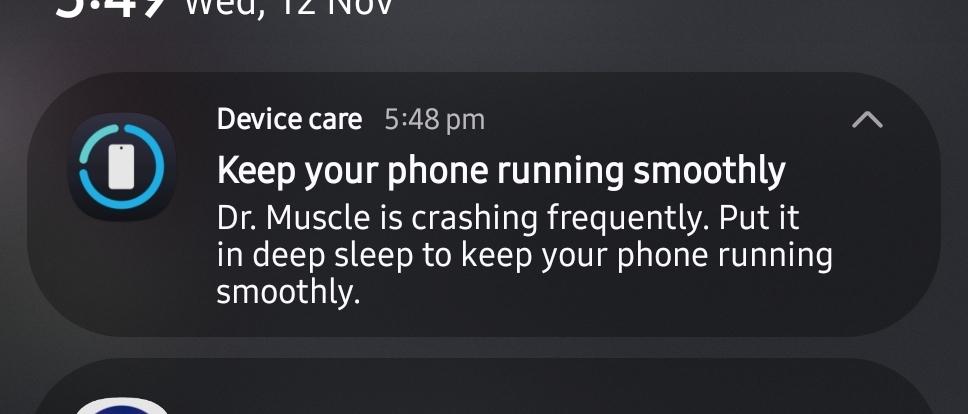
Software - Android 16
ONE UI - 8.0

Hi there,
Thanks for reporting that issue. Please check your inbox for an email from us re your beta program and Android system versions.
This forum is for feature requests. If you run any other bugs, please email support@drmuscleapp.com.
Thank you.
Carl

Every-other-day training schedule
Please modify current 7 days training schedule to 14 days training schedule. It will enable every-other-day training schedule.

cycling
if you have cycling as part of your workout it measures this KG which messes up the algorithm - what's the solution to this - I use cycle machines as well as cycling to the gym
Hi James,
Thanks for reporting that issue.
Cardio exercises such as cycling (including both cycle machines and biking to the gym) are automatically excluded from your 1RM progress and don’t impact the algorithm for your progression.
So there’s no need to worry—your cycling won’t interfere with your training stats in the app.
If you have any other questions or need assistance, please feel free to email us at support@drmuscleapp.com directly. We’ll be able to help you more efficiently that way.
Best,
Carl

I wish I could combine two workouts into one.
For example, on the split body workouts, I would like to combine 2 of the workouts instead of completing one workout then opting for another workout. This way, I can move around the gym and alternate the bo
Adding a pre-fabricated abs routine to a workout
There are no ab exercises specifically that I can add to any routine. I understand they can be added individually, but it would be nice if there was an option for a 5 or 10 min ab workout to be added to any of the workouts.

multiple protein shakes
Right now there is only an option for one protein shake. I usually have two a day and it is difficult to get the app to add the second one and keep the calories and macros the same.
Favorite meal
I would like the ability to tell the meal planning AI of a favorite meal and it would offer it more often.
Customer support service by UserEcho
